 Believers Sword
App guides / Desktop
Prepare a Bible translation for offline reading
Prepare your reading before you leave a reliable connection. Installing the desktop app and downloading a Bible translation are separate steps: an installed reader still needs the text you want to read.
Believers Sword editorial guide. Updated November 11, 2026.
1. Install the desktop reader while online
Choose the Windows, macOS, or Linux build on the download page. Finish installing it and open the reader before you leave your connection. This guide covers the installed desktop app. The browser app and Android have different controls and storage behavior.
Choose a translation you understand and have permission to use. Different catalogs can offer different editions of a translation; read its name, language, source, and description rather than relying only on an abbreviation.
2. Download the Bible text
Open Settings, choose Bible, and select Download. In an older desktop layout, use Download beside the Bible List. Search for the translation name or narrow the list by language and source. Start with one translation so you can check it before adding more.
Select its download action and follow any source-specific instructions shown by the app. A page opening on another website is not proof that a translation has finished installing. Wait for the download to complete, then confirm the translation appears under Added or in your Bible List.
3. Open a passage before disconnecting
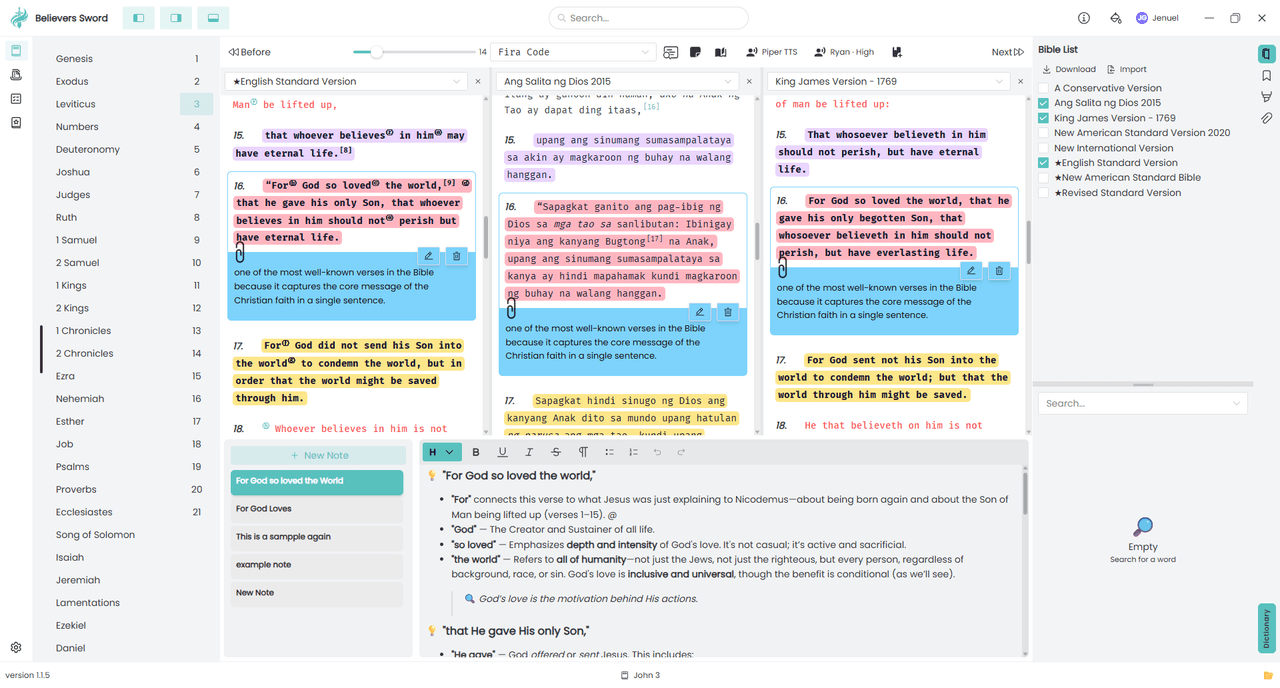
Return to the reader and select your downloaded translation. Open a book and chapter. For a Bible that includes both Testaments, check one passage from each. An edition containing only the New Testament will not supply Old Testament chapters.
If the version is missing, return to the installed list and check that the download completed. If the version is present but a passage is blank, try another chapter before downloading the same file again.
4. Test the offline setup you will actually use
Temporarily disconnect from Wi-Fi or your network, reopen the installed reader, and navigate to another chapter in the downloaded translation. This checks local reading on your device instead of assuming it works because a page was already open.
Reconnect if you need another download. Store listings, new translations, external links, and cross-device services can require Internet access. Downloaded Bible text does not guarantee that every audio or online feature is available offline.
Try one small study
Before your next trip, open Psalm 121 in your chosen translation with the network disconnected. Move to Psalm 122, close the app, and open it again. If the text remains available, you have checked the reading setup you plan to depend on.
Need help or found an error? Email me@jenuel.dev with the guide URL, your app version, and your platform. How we prepare our content.